
The problem
A marketing agency was spending too much time turning email alerts into client reporting data.
The process worked, but it was repetitive.
Every time an alert came in, someone had to open it, review the information, copy out the useful parts, format it, and add it into the right report.
One alert did not take long.
But across multiple clients and campaigns, the time started to add up.
The manual workflow
Email alert received
↓
Someone reviews the alert
↓
Key information is copied out
↓
Data is formatted
↓
Report is updated
The issue was not that the task was difficult.
The issue was that it had to be repeated again and again.
The solution
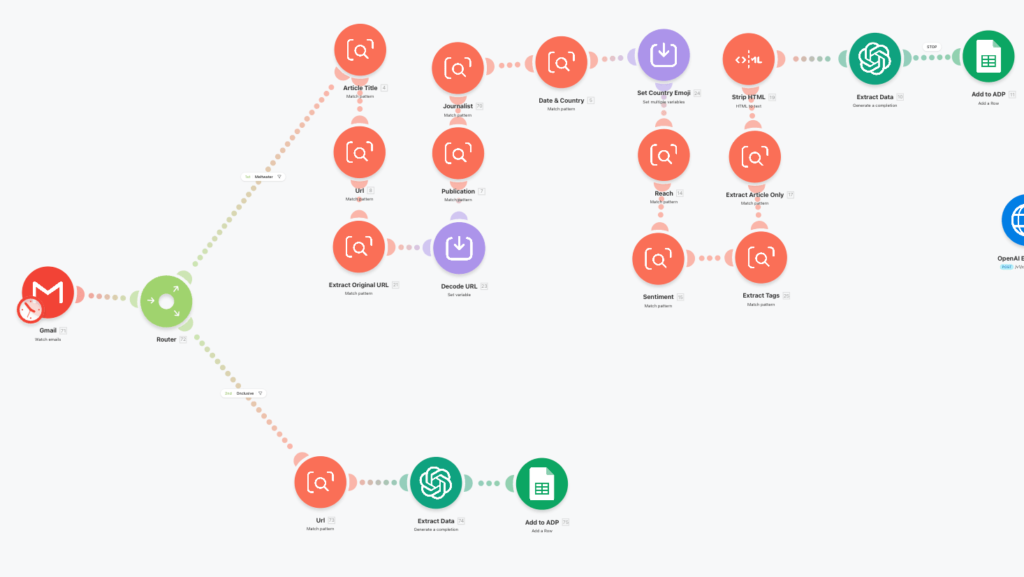
I built an automation that handled the repeatable parts of the workflow.
Instead of manually copying information from each alert, the automation extracted the key details and pushed them into a structured report format.
The new workflow became:
Email alert received
↓
Information extracted
↓
Pushed to report
↓
Hours saved every week
What changed
The agency now had a more consistent way to process reporting data.
The automation helped reduce:
- manual copying and pasting
- repeated formatting
- time spent updating reports
- inconsistent data entry
- admin work that scaled badly as client volume grew
This meant the team could spend less time moving information around and more time on higher-value client work.
Why this matters
A lot of manual work hides inside normal business processes.
It often looks small in isolation.
A few minutes here.
Another spreadsheet update there.
Another report to format.
But when that repeats across clients, campaigns, or team members, it becomes a real time drain.
That is where automation is useful.
Not to replace people.
But to remove the repetitive steps that stop people focusing on the work that actually needs their judgement.
Could this work for your business?
If your team regularly copies information between emails, spreadsheets, CRMs, reports, or dashboards, there may be an opportunity to automate it.
Common examples include:
- email alerts into reports
- form submissions into spreadsheets
- enquiries into a CRM
- weekly client reporting
- follow-up reminders
- internal task creation
Want me to look at your process?
Send me your website or workflow and I’ll show you what I’d improve first.